
What Is Included in a Podcast Studio Rental in Vaughan?


A podcast studio rental can save hours of setup, testing, and troubleshooting. It can also raise the quality of your recording, if the space is properly equipped.
If you are asking what is included in a podcast studio rental, the short answer is this: most rentals include a prepared recording space and some core tools, but the exact inclusions vary by studio. Some places provide only the room and basic gear. Others offer cameras, lighting, technical help, and add-on production services.
Before booking a studio in Vaughan, Toronto, or elsewhere in the GTA, ask what is included, what costs extra, and who will be there to help if something goes wrong.
What is included in a podcast studio rental?
A podcast studio rental usually includes access to a controlled recording space for a set amount of time. That space is meant to make recording easier than doing it at home, in an office, or in a noisy shared room.
Common inclusions may include:
Microphones
Headphones
Audio recording equipment
A table or seating setup
Basic lighting
Sound-treated walls or panels
Power access
Internet access
A simple recording setup
Some level of technical guidance
For video podcasts, a rental may also include cameras, lighting, backdrops, or a set designed for on-camera recording.
The key word is may. Every studio has its own rental model. One studio may include a technician in the hourly rate. Another may charge extra for recording support. One may offer a full video podcast studio setup. Another may focus only on audio.
When comparing a podcast studio rental Vaughan creators can use with a podcast recording studio Toronto teams may book, look closely at the podcast recording equipment, video options, and podcast studio amenities before making a decision.
The core podcast equipment you can expect to ask about
A good podcast recording starts with reliable equipment. You do not need to know every technical detail, but you should know what to ask for.
Microphones
Microphones are usually the first thing people think about when renting a podcast studio. A studio may provide one microphone for solo recordings or several for interviews and panel-style shows.
Ask how many microphones are available. Also ask whether they are set up for spoken-word recording.
This matters because podcast microphones need to handle voice clearly and reduce room noise. A microphone that works well for music or live events may not be the best choice for a conversation-based podcast.
Ask these questions:
How many microphones are included?
Are the microphones already set up?
Can the studio support remote guests?
Is there a limit on the number of speakers?
Headphones
Headphones help each speaker hear the conversation while recording. They also help catch problems early, such as low volume, background noise, or a guest sitting too far from the microphone.
Some studios include headphones for each person. Others provide only a few sets or ask renters to bring their own.
Ask whether headphones are included for all speakers. If guests are joining remotely, ask whether you can hear them clearly through the studio setup.
Audio recording equipment
Behind the microphones, the studio needs equipment that captures and stores the audio. This may include a recording device, computer, sound board, or other tools.
You do not need to manage all of it yourself if the studio provides support. But you should ask how the recording will be saved and delivered.
Ask:
Is the recording captured on-site?
Will I receive separate audio tracks for each speaker?
What file format will I receive?
How soon will I get the files?
Do I need to bring my own storage device?
Separate audio tracks can help during editing because each voice can be adjusted on its own. If all voices are recorded into one file, editing is still possible, but there is less control.
What a video podcast rental may include
Video podcasting adds more moving parts. Audio still matters most, but cameras, lighting, and framing affect how professional the final content looks.
A studio set up for video recording may include cameras, lights, seating, and a background. Some spaces are designed for two-person interviews. Others may support larger groups.
Cameras
Cameras may be included in some podcast studio rentals, but not always. A studio may offer one camera for a simple wide shot, or multiple cameras for close-ups and different angles.
Ask how many cameras are available, whether they are included in the rental, and whether someone will operate them.
If multiple cameras are used, ask whether switching between camera angles is included or handled later in editing. That work may cost extra.
Lighting
Good lighting helps faces look clear on camera. It also reduces shadows and makes the recording look more polished.
Lighting can include overhead lights, soft lights, or focused lights placed around the set. Ask whether the lighting is already prepared or whether setup time is part of the rental.
This is important. If your booking is one hour and the first 20 minutes are spent adjusting lights, your actual recording time is much shorter.
Set design and background
Some studios provide a ready-to-record set. Others provide a plain room that can be adjusted.
A podcast set may include chairs, a table, wall decor, plants, shelves, or a clean background. These details affect how the final video feels.
Ask if the set can be changed. If you want to bring props, signs, or branded items, ask what is allowed. Some studios limit wall mounting, large items, or anything that takes too long to set up.
Why sound treatment matters
Sound treatment is one of the main reasons to rent a studio instead of recording in a random room.
Rooms with bare walls, hard floors, and large windows often create echo. That echo can make voices sound hollow or distant. It can also make editing harder.
A podcast studio may use wall panels, carpets, curtains, or other materials to reduce reflections. The goal is not to make the room silent. The goal is to make voices sound clear and controlled.
Sound treatment is different from soundproofing.
Sound treatment improves how voices sound inside the room.
Soundproofing reduces sound coming in from outside or leaving the room.
A studio can have sound treatment without being fully soundproof. If outside noise is a concern, ask about it before booking. This matters in busy areas of Vaughan, Concord, Toronto, and the GTA where traffic, construction, or nearby businesses can affect recordings.
Technical assistance may or may not be included
Some podcast studios are self-serve. Others include a technician or studio assistant. This is one of the biggest differences between rentals.
Technical assistance may include:
Setting microphone levels
Starting and stopping the recording
Monitoring audio during the session
Adjusting camera framing
Helping with lighting
Saving and transferring files
A self-serve rental may cost less, but you are responsible for setup and recording. That can work if you are comfortable with the equipment. It can also create risk if you are recording an important interview, client feature, course, or business podcast.
If you are new to podcasting, ask whether someone will be on-site to help. Also ask whether that support is included in the price or billed separately.
What often costs extra
Many podcast studios offer add-ons. These can be useful, but they may not be part of the base rental.
Common extras include:
Audio editing
Video editing
Multi-camera production
Extra recording time
Additional microphones
Extra lighting
Teleprompter use
Remote guest setup
File backup or storage
Content clips for social platforms
Photography during the session
Producer or director support
Editing is often separate because it takes time after the recording. Video production can also add cost because it may involve camera control, lighting setup, file handling, syncing audio, and editing.
Ask for a clear price list before booking. A low hourly studio rate may not include the support needed to finish the project.
Booking time is not always recording time
This catches many first-time renters by surprise.
If you book a studio for one hour, that may include arrival, setup, sound checks, recording, file transfer, and packing up. Not every studio handles time the same way.
For a smooth session, plan for:
Arrival and guest check-in
Microphone checks
Camera framing if recording video
Lighting adjustments
A short test recording
Breaks or retakes
File transfer at the end
For a 30-minute podcast episode, booking only 30 minutes is usually tight. A more realistic booking allows time before and after the actual conversation.
Ask whether setup time starts when the booking starts. Also ask what happens if the session runs late.
A checklist of questions to ask before booking
Use this checklist before choosing a podcast studio in Vaughan, Toronto, or the GTA.
Space and schedule
How many people can the studio comfortably record?
Is the rental private during my booking?
How early can I arrive?
Does setup time count as part of the booking?
What happens if I need extra time?
Audio setup
How many microphones are included?
Are headphones included for each speaker?
Can each voice be recorded separately?
What file format will I receive?
Is there someone monitoring audio during the recording?
Video setup
Are cameras included?
How many camera angles are available?
Is lighting included?
Is the set ready to use?
Can I bring my own props or small branded items?
Support and production
Is technical assistance included?
Is editing included or extra?
Can the studio help with video production?
Are remote guests supported?
How are files delivered after the session?
Costs and policies
What is included in the base rental?
What costs extra?
Is there a cancellation policy?
Is payment required in advance?
Are there overtime fees?
Get the answers in writing when possible. A clear booking agreement prevents confusion on recording day.
How to choose the right podcast studio in Vaughan or Toronto
The right studio depends on your goal.
If you are recording a simple audio interview, you may need microphones, headphones, sound treatment, and basic recording support.
If you are creating a video podcast, you need more. Ask about cameras, lighting, the set, file delivery, and editing options.
If you are recording content for a business, training program, or client-facing project, support matters. A studio that helps with setup and technical checks can reduce mistakes and save time.
Location also matters. Vaughan and Concord can be convenient for creators and businesses north of Toronto. Toronto studios may be closer for downtown guests. The best choice is the space that fits the recording, the people involved, and the final content you need.
Alex Rojas Studios in Vaughan
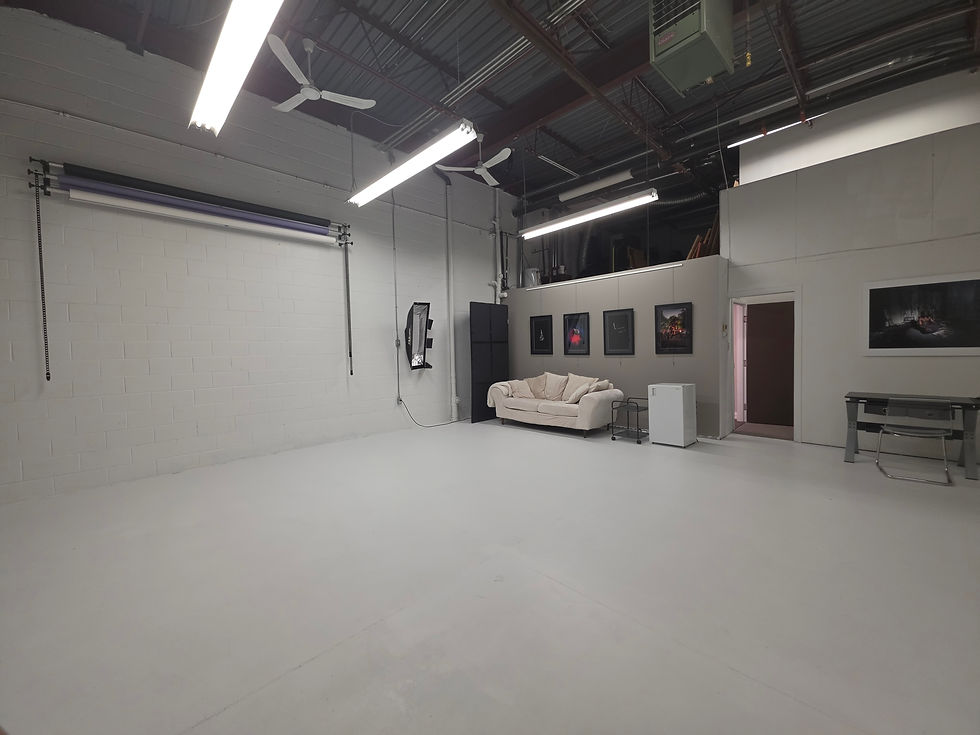
Alex Rojas Studios in Vaughan is an option for podcasting and video content creation in the GTA. If you are looking for a local studio space, it is worth asking what options are available for your specific recording.
Because inclusions can change by booking type, session length, and project needs, ask directly about microphones, cameras, lighting, technical support, editing, and video production before reserving time.
That conversation will help you understand what is included, what can be added, and what you should prepare before arriving.
FAQ
Do podcast studio rentals usually include editing?
Not always. Many studios treat editing as a separate service because it happens after the recording. Ask whether audio editing, video editing, and file cleanup are included or priced separately.
Can I rent a podcast studio for video recording?
Yes, many studios offer video podcast options, but the setup varies. Ask whether cameras, lighting, and a ready-to-record set are included in the rental.
Do I need to bring my own equipment?
In many cases, no. Studios often provide core recording equipment. Still, ask what is included. You may need to bring a laptop, storage device, notes, props, or any special equipment your project requires.
Is technical support included in the rental?
Sometimes. Some rentals are self-serve, while others include a studio assistant or technician. Ask who will set up the equipment, monitor the recording, and handle the files.
How long should I book a studio for one podcast episode?
Book more time than the episode length. Setup, sound checks, retakes, and file transfer all take time. For a short episode, a longer booking can reduce stress and help avoid rushed recording.
Final takeaway
A podcast studio rental can include the space, microphones, headphones, recording equipment, sound treatment, cameras, lighting, and technical assistance. But there is no single standard package.
Before booking, ask what is included, what costs extra, and how your files will be delivered. That is the best way to avoid surprises and get a cleaner recording.
For podcasting and video content creation in Vaughan, ask Alex Rojas Studios about available studio options.


Comments