
Podcast Studio Rental Vaughan: Where to Book in the GTA


A good podcast can sound weak in the wrong room. Echo, background noise, poor lighting, and uneven audio levels can all distract from the message.
For anyone searching for podcast studio rental Vaughan, the goal is simple: find a professional recording space that helps the content sound clear, look polished, and stay easy to produce. Vaughan and the wider GTA have options for audio podcasts, video podcasts, interviews, business content, and short-form clips. The right choice depends on what is included, how much support is available, and what the final files need to look like.
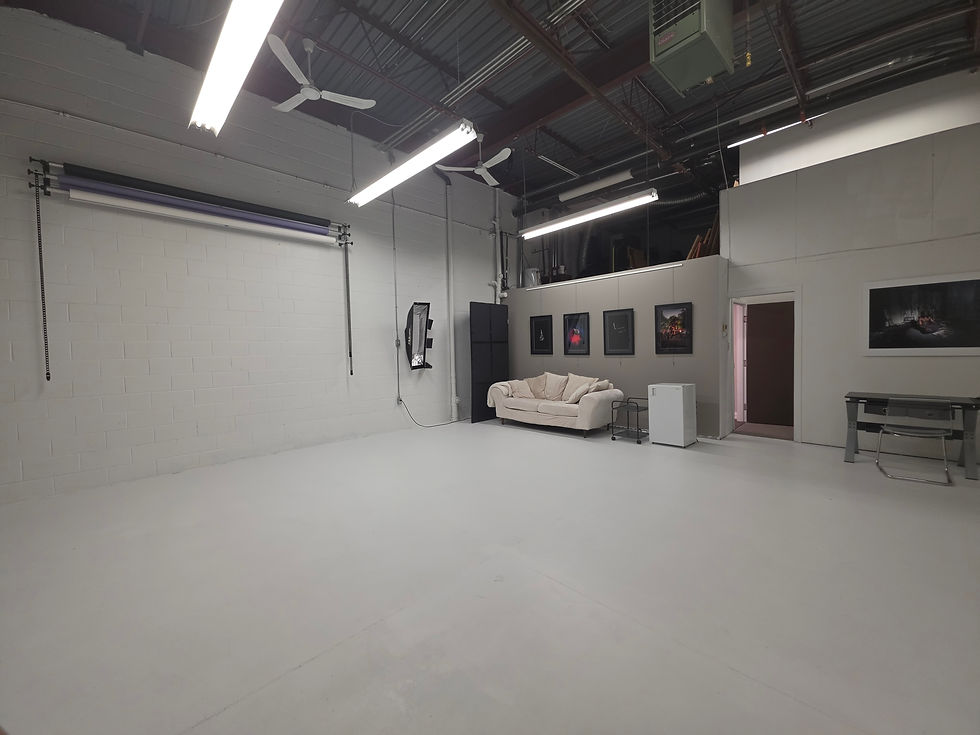
One local option to consider is Alex Rojas Studios in Vaughan, which serves people looking for podcast recording and video content creation space. As with any studio, confirm the exact equipment, support, deliverables, and pricing before booking.
What to expect from a podcast studio rental Vaughan search
Searching for a podcast studio rental Vaughan often brings up different types of spaces. Some studios focus on audio recording. Others are built for video podcasts, interviews, course content, talking-head videos, or social clips.
A proper studio should solve problems that are hard to fix at home or in a standard office:
Room echo
Traffic or hallway noise
Poor lighting
Camera angle issues
Uneven microphone levels
Background distractions
File setup and recording errors
A studio does not need to be huge to work well. It needs to be controlled. Sound, lighting, camera placement, seating, and technical support matter more than square footage.
For a solo podcast, a smaller room with clean audio may be enough. For a panel show or branded video series, the studio may need space for multiple speakers, several camera angles, and consistent lighting.
This is why a quick “podcast recording space near me” search should be only the start. The next step is to compare what each studio includes.
Choose a studio based on sound quality first
Sound quality should be the first filter. Viewers may forgive a simple video setup if the topic is useful. They are less patient with audio that is hard to hear.
A strong recording space should reduce echo and outside noise. Hard walls, glass, and empty rooms can reflect sound. That creates a hollow effect. Background noise from heating systems, traffic, or nearby rooms can also make editing harder.
Ask the studio how the room is set up for audio. The answer should be clear and practical. A good studio should be able to explain how it handles room noise, microphone placement, and recording levels in plain language.
Listen for these signs during a studio call or tour:
The room feels quiet when no one is speaking.
Voices sound clear, not boomy or sharp.
Chairs, tables, and walls do not create loud reflections.
The studio can record each speaker clearly.
The setup suits the number of people on the podcast.
If possible, ask for a sample recording from the space. A short clip can answer more questions than a long equipment list.
Check the microphones before you book
Microphones shape the sound of the podcast. A built-in laptop microphone is not enough for a professional recording. In a studio, each person should usually have a dedicated microphone.
The exact microphone model is less important than how it is used. Good placement, proper levels, and a quiet room often matter more than the name on the gear.
Ask these questions:
How many microphones are available?
Can every guest have their own microphone?
Does the studio help set microphone height and distance?
Are separate audio tracks available for each speaker?
How does the studio handle loud or quiet voices?
Separate audio tracks can make editing cleaner because each speaker can be adjusted on their own. That can help when one guest speaks softly and another speaks loudly. Not every studio includes this, so confirm it before booking.
Also ask whether headphones are included or recommended. Headphones help speakers hear issues during recording, such as rubbing cables, tapping tables, or speaking too far from the microphone.
Look closely at cameras and video recording
A video podcast studio needs more than a camera pointed at a couch. Video quality depends on camera placement, lighting, background, framing, and how the recording is managed.
For a basic video podcast, one camera may work. For interviews or group episodes, multiple camera angles can make the final edit feel more natural. A wide shot can show everyone. Close shots can focus on the person speaking.
Before booking, ask:
How many camera angles can be recorded?
Is video recording included in the rental?
Are camera operators or technical staff included?
Can the studio record both audio and video at the same time?
What file format will be delivered after the session?
Can the setup support short clips for social platforms?
Do not assume every podcast studio Vaughan result includes video. Some spaces are made mainly for audio. Others support video but charge separately for recording, editing, or file delivery.
If the podcast will be used on a website, video channel, internal training page, or paid course, ask about resolution, framing, and final file delivery. Use plain requirements. For example, “We need a horizontal full episode and a few vertical clips.” The studio can then explain what is possible.
Do not treat lighting as an afterthought
Lighting affects how professional the content looks. Overhead office lights can create shadows under the eyes. Harsh light can make skin tones look uneven. Weak light can make footage look dull or grainy.
A studio should have lighting that makes faces clear and consistent. It should also control bright windows if daylight changes during the recording.
Ask about:
Lighting for one person, two people, or a group
Whether the background is lit
Whether the lighting can match the tone of the content
How glare is handled on glasses or shiny surfaces
Whether the lighting setup is included or costs extra
For business podcasts and branded video, consistency matters. If the show has several episodes, the audience should not see major changes in brightness, colour, or framing from one recording day to the next.
Confirm technical support before the session
Technical support can change the whole recording experience. Some rentals provide only the room. Others include someone to set up the microphones, cameras, lights, and recording system.
Neither model is wrong. The issue is knowing which one applies.
A self-serve studio may work for someone with recording experience. A new podcaster or business team may need hands-on support. Without help, simple issues can waste paid studio time. A cable may not be connected. A camera may stop recording. Audio levels may be too low.
Ask the studio what support is included:
Setup before recording
Sound checks
Camera checks
Help during recording
File backup after recording
Basic troubleshooting
Guidance for first-time guests
Also ask when the booked time begins. Some studios count setup and teardown within the rental window. Others may include setup time separately. This affects the real value of the booking.
Ask whether editing is included
Recording is only one part of podcast production. Editing can include removing mistakes, improving audio levels, cutting long pauses, adding an intro, syncing video, and preparing final files.
Some studios offer editing. Some do not. Some include basic editing with certain packages and charge more for full post-production. Confirm this before the session.
Useful questions include:
Is editing included in the rental price?
If editing is extra, how is it priced?
What does basic editing include?
Can the studio create short video clips?
How long does delivery usually take?
Are revisions included?
How are files shared after the session?
Be specific about the expected result. A raw recording is different from a finished episode. A finished episode is different from a full episode plus short clips, captions, thumbnails, and vertical edits.
If the goal is to publish quickly, ask about turnaround time before booking. Tight deadlines should be discussed before the recording date.
Compare pricing by what is included
Studio pricing can vary because inclusions vary. A lower hourly rate may not include cameras, staff, editing, or finished files. A higher rate may include more support. Compare the full booking, not just the hourly number.
Look at the total cost for the content needed. For example, a two-hour audio-only recording has different needs than a four-person video podcast with multiple camera angles and edited clips.
Ask for a clear quote that covers:
Studio rental time
Setup time
Number of microphones
Number of cameras
Lighting
Technical support
Audio recording
Video recording
Editing
File delivery
Taxes and extra fees
Also ask about overtime. Podcast conversations often run longer than planned. Knowing the overtime rate helps avoid surprises.
A clear price should answer two questions: what is included, and what costs extra.
Consider location and access in Vaughan and the GTA
Location matters more than many people expect. Guests are more likely to arrive relaxed when the space is easy to reach. Vaughan can be convenient for people coming from nearby parts of the GTA, especially if they want to avoid travelling into downtown Toronto.
Consider practical details:
Parking
Transit access
Travel time for guests
Load-in for equipment or props
Nearby places to wait before a session
Building access for evening or weekend bookings
If guests are coming from different parts of the GTA, choose the location that reduces friction for the whole group. For companies, check whether the studio works well for staff, clients, and external guests.
This is where a podcast recording studio GTA search can be useful, but location alone should not decide the booking. The studio still needs the right sound, visual setup, and support.
Why Alex Rojas Studios is worth considering in Vaughan
Alex Rojas Studios is a Vaughan option for people looking for a place to record podcast content and create video. It may fit creators, entrepreneurs, businesses, and teams that want a professional setting without building their own recording room.
The main reason to consider a local studio is focus. Recording in a purpose-made space can remove common problems from home or office setups. It can also give guests a more comfortable place to speak on camera.
Before booking, ask Alex Rojas Studios the same questions you would ask any studio:
What is included with the rental?
Is audio recording available?
Is video recording available?
What support is provided during the session?
Are editing services available?
How are the final files delivered?
What is the full price for the session?
This protects both sides. The studio can recommend the right setup, and the client can arrive with clear expectations.
To learn more or ask about availability, visit Alex Rojas Studios in Vaughan.
Use this checklist before booking
Before choosing a studio, confirm the details in writing. A short email can prevent confusion on recording day.
Use this checklist:
Number of speakers and guests
Audio-only or video recording
Number of microphones
Number of camera angles
Lighting setup
Technical support during recording
Editing and post-production needs
Final file types and delivery timeline
Total price, including extras
Cancellation or rescheduling policy
Parking and access details
Also tell the studio what the content is for. A podcast interview, training video, client testimonial, and short-form content session all have different production needs.
Short FAQ
How much does it cost to rent a podcast studio in Vaughan?
Pricing varies by studio, booking length, equipment, support, and editing. Some studios charge by the hour. Others offer packages. Always ask what is included before comparing prices.
Do I need a video podcast studio or just an audio room?
Choose a video setup if the episode will be published as video or clipped into short videos. Choose an audio-focused room if the final content is audio only. If future video use is possible, ask the studio before booking.
Can a studio help if I have never recorded a podcast before?
Many studios can help with setup, sound checks, and recording basics, but support levels vary. Ask whether technical help is included during the session.
Should editing be included in the studio rental?
Not always. Some rentals provide only the space and recording. Others may offer editing at an added cost. Confirm whether you will receive raw files, edited files, or both.
What should I bring to a podcast recording session?
Bring episode notes, guest names, questions, any intro or outro script, and clear goals for the final content. If you need branded items, props, or wardrobe changes, ask the studio what is allowed.
Book with clear expectations
The best studio is not always the cheapest or the biggest. It is the one that matches the content, budget, guest count, and final delivery needs.
For Vaughan and GTA creators, a professional studio can improve sound, lighting, video consistency, and the overall recording experience. The key is to confirm every inclusion before booking. Microphones, cameras, lighting, technical support, video recording, editing, and pricing can all vary from one studio to another.
If Vaughan is the right location for the session, check availability and studio details at Alex Rojas Studios.


Comments